.. title: Polycube on Arm-based SBCs: Replacement for IPTables - WIP
.. slug: polycube-network-on-arm-hardware-WIP
.. date: 2023-01-15 13:57:27 UTC-06:00
.. tags: polycube, iptables, ebpf, compute module
.. category:
.. link:
.. description: Attempting to use Polycube.network - a drop in eBPF replacement for iptables
.. type: text
### The Basics - Work in Progress (WIP)
**SPOILER ALERT**: I have not been able to successfully execute the `polycubed` daemon. This effort is still a WIP.
Originally called [extended Berkeley Packet Filtering](https://go.tinymachines.io/DrpBYp), it has since been simply referred to as *eBPF*. Vanilla BPF has been around for decades and has been [used as a packet filter](https://go.tinymachines.io/Tp4Wph), but eBPF is a more recent creation. And it has distinct advantages over existing Linux networking methods when used at industrial or commercial scales.
> *Historically, the operating system has always been an ideal place to implement observability, security, and networking functionality due to the kernel’s privileged ability to oversee and control the entire system. At the same time, an operating system kernel is hard to evolve due to its central role and high requirement towards stability and security. The rate of innovation at the operating system level has thus traditionally been lower compared to functionality implemented outside of the operating system.*
>
> *eBPF changes this formula fundamentally. By allowing to run sandboxed programs within the operating system, application developers can run eBPF programs to add additional capabilities to the operating system at runtime. The operating system then guarantees safety and execution efficiency as if natively compiled with the aid of a Just-In-Time (JIT) compiler and verification engine. This has led to a wave of eBPF-based projects covering a wide array of use cases, including next-generation networking, observability, and security functionality.*
Why eBPF? Because it has been gaining use within the world of containerization of work loads. Within the Linux world, this is usually Docker (I wrote a post on running [Docker on a Pine64 Quartz Model A](/posts/pine64-quartz64-a-running-docker.html)). Observability is huge within the world of commercial-scale deployments of containers. Containers allow for millions or tens of millions of virtual workloads to run on thousands and millions of physical systems. You need insight into what your systems are doing and how systems are performing. eBPF, for tiny computers, is overkill. The level complexity it introduces and requires far outweighs the benefits of at such a small scale. But, using it within the confines of tiny computers could be a good introduction to this very powerful technology.
We will be attempting to use [Polycube](https://go.tinymachines.io/PkCRsc) for our eBPF needs.
> `Polycube` is an **open source** software framework that provides **fast** and **lightweight** **network functions** such as bridges, routers, firewalls, and others.
>
> Polycube services, called `cubes`, can be composed to build arbitrary **service chains** and provide custom network connectivity to **namespaces**, **containers**, **virtual machines**, and **physical hosts**.
>
> For more information, jump to the project [Documentation](https://go.tinymachines.io/fw9Tdk).
There are two ways in which to run Polycube: 1) via Docker; 2) "baremetal". Docker would be simplest if we were using stable builds of Debian or Ubuntu, but we are not.
For the purposes of this article, I am using a Pine64 [SOQuartz module](https://go.tinymachines.io/2zyevT). I have tried both [Plebian Linux](https://go.tinymachines.io/2Ekp3A) as well as [DietPi](https://go.tinymachines.io/Ea5FyG).
I will walk through "baremetal" because there are not Docker images available for arm64 architecture.
## Installing Polycube - _baremetal_
### 1. Install `polycube` and dependencies:
# add stretch packages to apt
# /etc/apt/sources.list
deb https://deb.debian.org/debian/ stretch-backports main contrib non-free
deb https://deb.debian.org/debian/ stretch main contrib non-free
deb https://deb.debian.org/debian/ stretch-backports-sloppy main contrib non-free
deb https://deb.debian.org/debian/ bookworm main contrib non-free
#### Update packages cache
sudo apt update
#### Install Polycube dependencies
sudo apt-get install golang-go git build-essential cmake bison flex libelf-dev libpcap-dev \
        libnl-route-3-dev libnl-genl-3-dev uuid-dev pkg-config autoconf libtool m4 \
        automake libssl-dev kmod jq bash-completion gnupg2 libpcre3-dev clang-5.0 \
        clang-format-5.0 clang-tidy-5.0 libclang-5.0-dev libfl-dev \
        iperf luajit arping netperf
#### Verify `golang` is at `v1.16` or newer
go version
go version go1.19.3 linux/arm64
#### Install pistache - needed for the RESTful control daemon
git clone https://github.com/oktal/pistache.git
cd pistache
# known working version of pistache
git checkout 117db02eda9d63935193ad98be813987f6c32b33
git submodule update --init
mkdir -p build && cd build
cmake -G "Unix Makefiles" -DCMAKE_BUILD_TYPE=Release -DPISTACHE_USE_SSL=ON ..
make -j $(getconf _NPROCESSORS_ONLN)
sudo make install
#### Install libtins
cd
git clone --branch v3.5 https://github.com/mfontanini/libtins.git
cd libtins
mkdir -p build && cd build
cmake -DLIBTINS_ENABLE_CXX11=1 \
 -DLIBTINS_BUILD_EXAMPLES=OFF -DLIBTINS_BUILD_TESTS=OFF \
 -DLIBTINS_ENABLE_DOT11=OFF -DLIBTINS_ENABLE_PCAP=OFF \
 -DLIBTINS_ENABLE_WPA2=OFF -DLIBTINS_ENABLE_WPA2_CALLBACKS=OFF ..
make -j $(getconf _NPROCESSORS_ONLN)
sudo make install
sudo ldconfig
#### Install `libyang` version 1
cd
git clone https://github.com/CESNET/libyang.git
cd libyang
git checkout libyang1
mkdir build; cd build
cmake ..
make
sudo make install
### 2. Clone `polycube` repository;
**Note: ** you will need at least 3GB of disk space to be on the safe side for intermediate build artifacts
cd
git clone https://github.com/polycube-network/polycube.git
cd polycube
git submodule update --init --recursive
#### Configure build for `prometheus-cpp`
cd polycube/src/libs/prometheus-cpp
mkdir build && build
cmake .. -DBUILD_SHARED_LIBS=ON
#### We need to make one modification to one source file
 # edit the ../core/src/histogram.cc
 vi ../core/src/histogram.cc
Below `#include `, add the following:
#include <limits>
Save `../core/src/histogram.cc`
Build `prometheus-cpp`
make
sudo make install
#### We need to make one modification to one source file
cd
cd polycube
vi src/polycubed/src/server/Types/lexical_cast.cpp
Add the following directly below `#include `
#include <limits>
Save ` src/polycubed/src/server/Types/lexical_cast.cpp`
#### We need to make another modification to a source file
cd>
cd polycube
vi src/polycubed/src/server/Resources/Body/ListKey.cpp
Add the following directly below `#include `
#include <stdexcept>
Save `src/polycubed/src/server/Resources/Body/ListKey.cpp`
#### We need to make another modification to a source file
cd
cd polycube
vi src/services/pcn-dynmon/src/MapExtractor.h
Add the following directly below `#pragma once`
#include <cstdlib>
Save`src/services/pcn-dynmon/src/MapExtractor.h`
#### Configure and build `polycube`; we will also be building the drop in equivalent of `iptables`, `polycube iptables`
cd
cd polycube
mkdir -p build && cd build
cmake .. -DENABLE_PCN_IPTABLES=ON
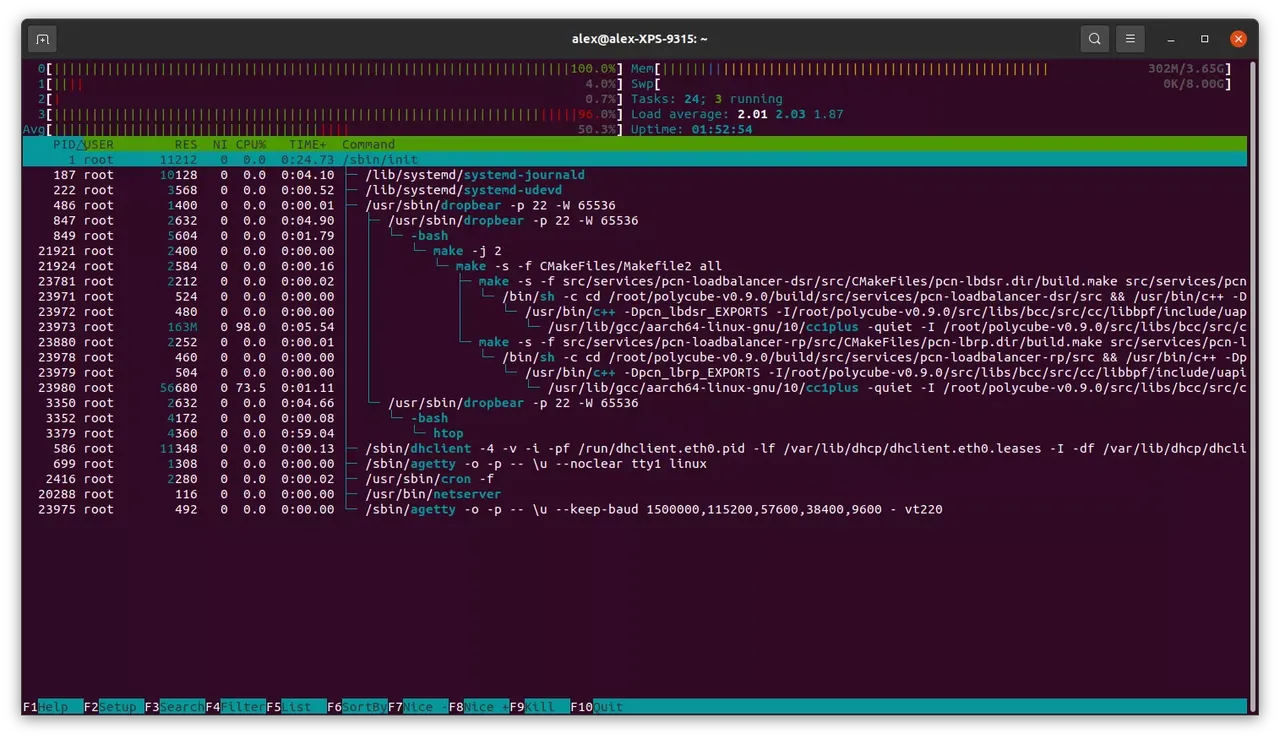
make -j 2
go env -w GO111MODULE=off
sudo make install
Attempt to start `polycubed`
sudo polycubed
**And that is where it gets hung up.** The daemon never gets to the point of listening on the default port, tcp:9000. There are also no log messages (even turning up the loglevel to `debug`)